Shopify
Why Your Shopify Store Is Slow (And How to Fix It)
Most Shopify speed problems come from app bloat, uncompressed images, and unused theme code. Here is how to find and fix the issues that are costing you conversions.

According to Google, a one-second delay in mobile page load time can reduce conversions by up to 7%. (Source: Google/Deloitte, "Milliseconds Make Millions," 2020)
For a Shopify store generating consistent monthly revenue, that is not a rounding error. It is a real, compounding cost.
We see this during our Shopify audits regularly. The store looks fine on the owner's laptop. Then we test on mobile — 4G, real conditions — and the performance gap is significant. The owner had no idea.
This article covers the specific problems we encounter most often and the fixes that consistently deliver measurable improvement.
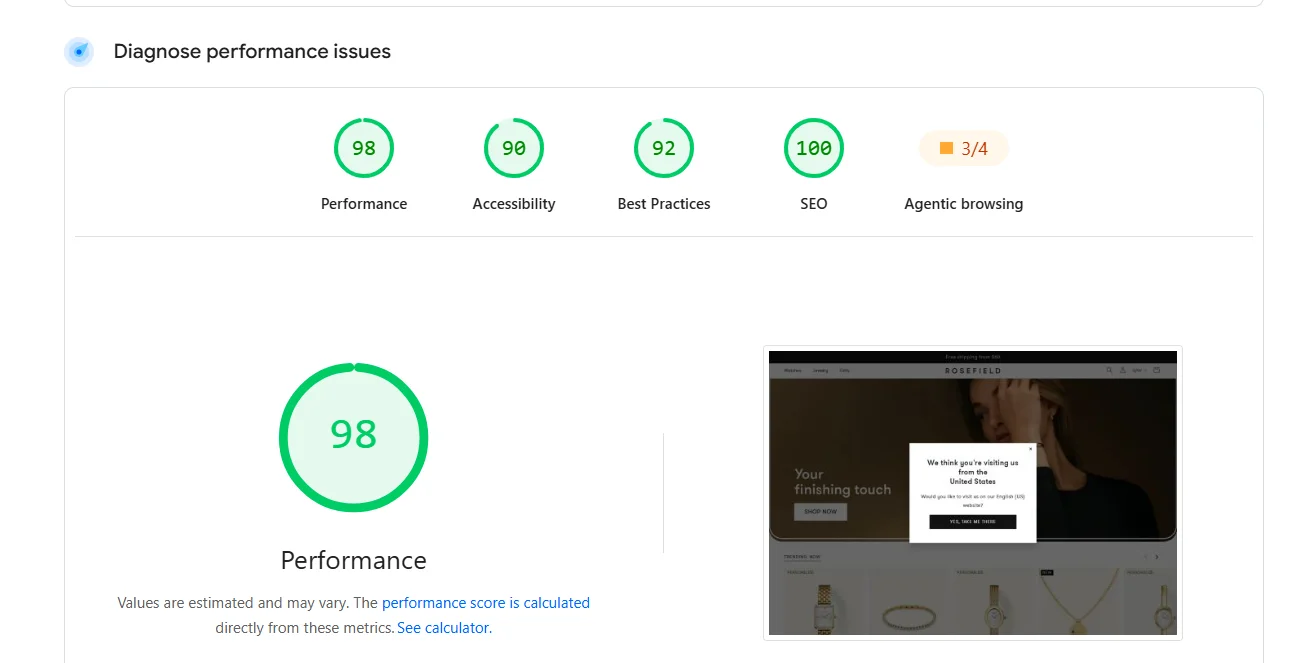
Where Shopify Speed Problems Actually Come From
Shopify handles hosting, SSL, and CDN distribution. The server infrastructure is reliable and fast — Shopify themselves publish performance benchmarks and maintain a global edge network. (Shopify Performance Documentation)
In our experience, the speed problems almost never originate from Shopify's servers.
They come from three areas:
- App scripts — every installed app injects code that loads on your storefront
- Media weight — uncompressed product images and embedded videos
- Theme overhead — unused features, excessive CSS, and render-blocking JavaScript
When an ecommerce brand contacts us about a slow Shopify store, the root cause is almost always a combination of all three. The individual issues seem minor. Together, they compound into a serious performance problem.
The Five Issues We Find in Almost Every Audit
1. App Bloat
This is the single most common performance problem we encounter.
A typical store has 12–20 apps installed. Each one adds its own JavaScript and CSS files — often loaded globally, on every page, regardless of whether that app is relevant to the current page.
Here is the part most store owners miss: uninstalling a Shopify app does not always remove the code it injected into your theme. We frequently find orphaned scripts from apps that were deleted months ago, still loading on every page visit, still consuming bandwidth and blocking rendering. Shopify's documentation acknowledges this — app developers are responsible for cleanup, and many do not handle it well.
The fix: Audit your app list. Remove anything inactive. Then have a developer inspect your theme's layout/theme.liquid, snippets/, and assets/ directories for orphaned code. The performance gain from this cleanup alone is often substantial.
2. Uncompressed Product Images
One of the most common issues we find — and fortunately, one of the most straightforward to address.
A single uncompressed product photo can weigh 3–5 MB. On a collection page displaying 24 products, the browser attempts to download a significant volume of image data simultaneously. On mobile connections — which account for the majority of ecommerce traffic, and especially in mobile-first markets like Morocco — this creates an experience that drives customers away before they ever see a product.
The fix: Convert images to WebP format. Resize to actual display dimensions — there is no reason to serve a 4000px image that renders at 800px. Enable lazy loading so images below the visible screen area load only when the customer scrolls to them. Shopify OS 2.0 themes support native lazy loading, but it needs to be correctly implemented, not just toggled on.
3. Theme Feature Overhead
Premium Shopify themes are designed to serve thousands of different merchants. They include features for every possible use case: mega menus, product quickview modals, parallax scrolling, video backgrounds, countdown timers, infinite scroll, and more.
During our audits, we typically find stores actively using a fraction of their theme's capabilities. The unused features — the JavaScript event listeners, the CSS animations, the DOM elements — still load for every visitor. The theme does not know you are not using them.
The fix: Start in theme settings — disable every feature you have not intentionally activated. For deeper gains, a developer can audit the theme's Liquid templates and asset pipeline to identify and remove dead code. This is one of the highest-impact improvements available, but it requires someone who understands how Shopify themes are structured at the file level.
4. Render-Blocking Resources
This is typically the reason a store feels slow even when the total page size seems manageable.
When the browser encounters JavaScript or CSS files in the document head, it stops rendering the visible page until those files are fully downloaded and executed. The customer sees a blank or half-loaded screen while the browser processes a queue of scripts — many of which are not even relevant to the content currently visible.
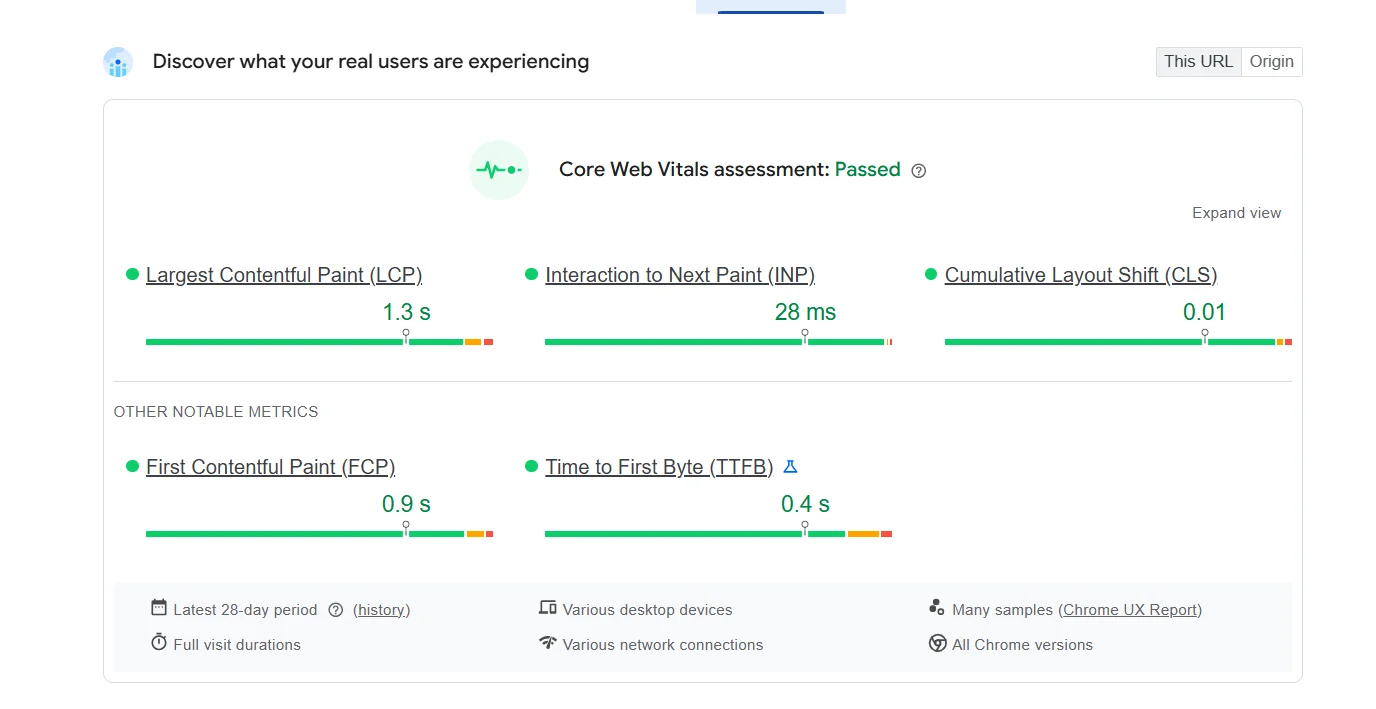
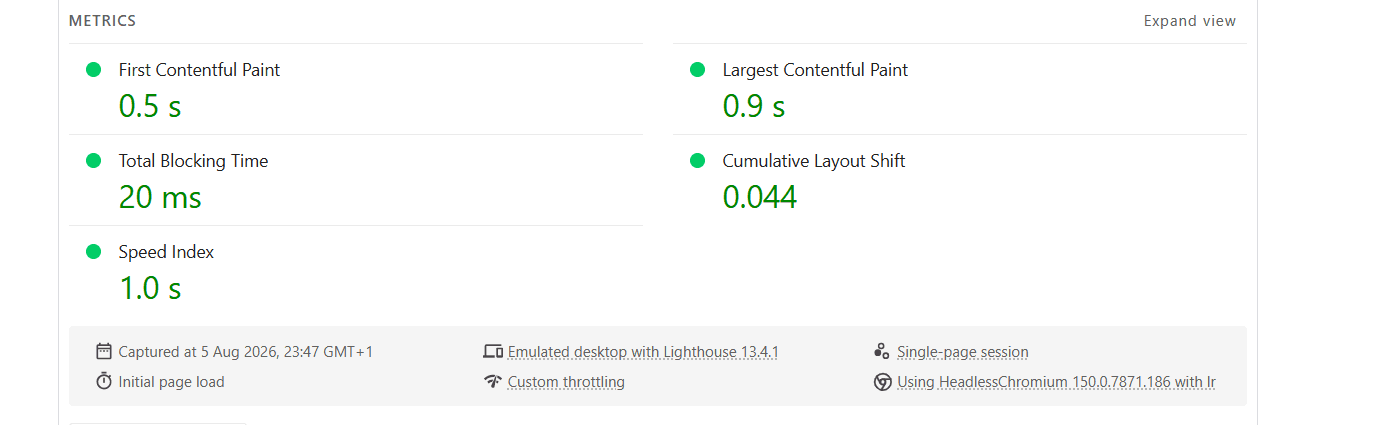
Google measures this through Core Web Vitals, particularly Largest Contentful Paint (LCP) and Interaction to Next Paint (INP). (Google Core Web Vitals Documentation)
The fix: Defer non-critical JavaScript. Inline the CSS required to render above-the-fold content so the browser can paint immediately. Move non-essential stylesheets below the fold. This is code-level work that requires understanding both Liquid templating and browser rendering behavior — it is not a theme-settings toggle.
5. External Font Loading
We see this in nearly every audit. The store loads Google Fonts from an external server, which forces the browser to perform a separate DNS lookup and TLS handshake before any text can render. On slower connections, this delay is visible — the page appears but text remains invisible or flickers as the font loads.
The fix: Self-host your fonts. Download the font files, add them directly to your theme assets, and reference them with @font-face declarations. This removes the external dependency entirely. It is a small change that consistently improves perceived load time and eliminates a class of rendering issues (FOIT/FOUT) that make the experience feel unpolished.
How to Measure Your Store's Actual Speed
Shopify's built-in speed score is a relative benchmark — it compares your store to other Shopify stores, but it does not diagnose specific problems or tell you what to fix.
Use these tools for actionable data:
Google PageSpeed Insights — Measures Core Web Vitals (LCP, CLS, INP) and provides both lab data and real-user field data when available. Always test mobile first. That is how the majority of your customers experience your store.
GTmetrix — Generates a waterfall chart showing every file that loads, the exact sequence, and how long each takes. This is the tool that pinpoints whether the bottleneck is a specific app script, a font file, or an oversized hero image.
Google Search Console — The Core Web Vitals report shows how Google evaluates your pages based on real visitor data. Pages that consistently fail these metrics may rank lower in search results.
Test three pages: your homepage, one collection page, and one product page. These handle the majority of traffic for most Shopify stores.
Realistic Performance Targets
These are the benchmarks we work toward during Shopify speed optimization projects:
- LCP (Largest Contentful Paint): under 2.5 seconds
- CLS (Cumulative Layout Shift): under 0.1
- INP (Interaction to Next Paint): under 200ms
- Total page weight: under 2 MB
- HTTP requests: under 60
These numbers are achievable on standard Shopify OS 2.0 without a headless migration. Most stores that miss these targets do so because of accumulated app bloat and unoptimized media — not because of platform limitations.
How Optivex Approaches Speed Optimization
We do not apply a generic checklist. Every Shopify store has a different combination of theme, apps, media, and customizations — so the bottlenecks are different.
Our process:
1. Audit — We run a full performance analysis across your key pages (homepage, collection, product) using PageSpeed Insights, GTmetrix, and browser developer tools. We inspect your theme files, app scripts, image pipeline, and font loading strategy.
2. Benchmark — We document current Core Web Vitals scores, page weight, request count, and waterfall timing as a baseline. Every improvement is measured against these numbers.
3. Optimize — We prioritize fixes by impact. The highest-leverage issues get addressed first: orphaned app code, render-blocking scripts, uncompressed images, dead theme code. Each fix is implemented, tested, and verified individually.
4. Retest — After optimization, we rerun the full audit to confirm measurable improvement against the original benchmark. You receive a clear before-and-after comparison with specific metrics.
This is not guesswork. It is a systematic process that produces documented results.

What You Can Fix Today vs. What Needs a Developer
Do it yourself:
- Remove unused apps from your Shopify admin
- Compress product images and convert to WebP format
- Disable unused theme features in theme settings
- Run your store through PageSpeed Insights on mobile
Needs a developer:
- Cleaning up orphaned app code in theme files
- Removing render-blocking resources
- Implementing critical CSS inlining
- Refactoring or removing unused theme JavaScript
- Optimizing Liquid template render times
- Self-hosting fonts
- Configuring responsive image srcsets with proper breakpoints
The self-serve fixes help. The code-level work is where the measurable performance gains happen.
FAQ
Does Shopify hosting cause speed problems?
In our experience, very rarely. Shopify's CDN and edge infrastructure handle server-side performance well. The speed issues we diagnose almost always trace back to theme code, installed apps, and unoptimized media — things added on top of Shopify, not Shopify itself.
Will removing apps break my store?
It can, if your theme references app-generated code. Always test on a duplicate theme before making changes to your live store. After uninstalling, check your theme files for leftover scripts and liquid snippets.
Is the Shopify speed score accurate?
It is a useful comparison tool, but not diagnostic. Google PageSpeed Insights provides actionable Core Web Vitals data based on real-user metrics. GTmetrix gives you file-level detail on what is causing delays.
Can I optimize speed without writing code?
Partially. Image compression, app removal, and disabling theme features require no code. But the largest improvements — fixing render-blocking resources, inlining critical CSS, removing dead code — require working directly with theme files.
Does page speed affect Shopify SEO?
Yes. Google uses Core Web Vitals as a ranking signal. (Google Search Central: Page Experience) Slower pages tend to rank lower and receive less organic traffic, which compounds into lost revenue over time. For ecommerce businesses in Morocco competing for Shopify-related search terms, this is increasingly relevant as the market becomes more competitive.
How much does a Shopify speed optimization project cost?
It depends entirely on what the initial audit uncovers. A focused cleanup of app scripts and image compression is a different scope than a full theme performance overhaul. At Optivex, we scope every project based on the specific issues we find — not a one-size-fits-all package.
Conclusion
A slow Shopify store is not a minor technical issue. It is a revenue problem that compounds every month it goes unaddressed — through lower conversion rates, higher bounce rates, and reduced search visibility.
The good news: most Shopify speed problems follow predictable patterns and have proven solutions. The challenge is diagnosing your store's specific bottlenecks and addressing them in the right order.
Start with PageSpeed Insights on mobile. If the score is below 60, the remaining issues are almost certainly in your theme code and app stack — and that is where professional optimization makes the biggest difference.
Optivex runs professional Shopify speed audits for ecommerce brands.
We analyze your store's performance across key pages, identify every bottleneck, explain the business impact of each issue, and recommend the highest-priority fixes — ranked by the improvement they will deliver.
If your store is slower than it should be and you want a clear, technical diagnosis rather than guesswork, we should talk.
Shopify performance audits
Get a clear technical diagnosis of what is slowing your Shopify store.
Optivex analyzes your key pages, identifies every bottleneck, explains the business impact, and recommends the highest-priority fixes.